Discovering Video Games for the First Time
Ok if you’re reading this I assume you didn’t get into gaming as a kid, or haven’t played video games since Goldeneye 007 in the 1990s. But I encourage you to realize that you don’t have to be a kid to appreciate the value of gaming. Playing video games is much more than mindless escapism or entertainment.
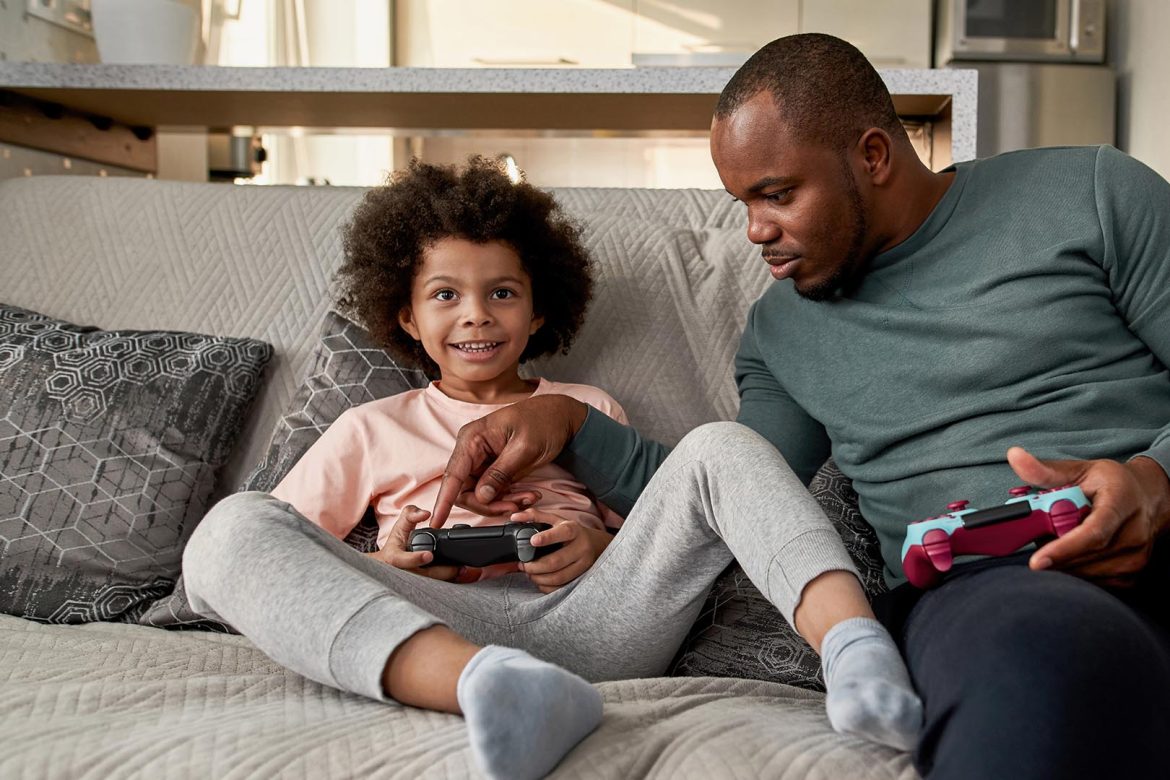
For parents, gaming is an opportunity to connect with kids on a totally different level. We grew up bonding over catching football or going on fishing trips—which you should absolutely still do—but gaming offers today’s parents a new way to share those parent/child moments. Even if your last real gaming experience was trying to beat Mike Tyson’s Punchout, picking up a games that fit your style on a modern game system gives you a chance to meet your kids on their turf.
There is also more to gaming than just having fun. It is a practical way for kids to develop real strategy and problem-solving skills right alongside you. While the hardware comes with a price tag, view it as a direct investment in your family’s time together.
For years, psychological research on video games focused almost entirely on negative effects like addiction or aggression. Recent studies, however, highlight that gaming provides immersive experiences that can actually enhance cognitive and emotional development. Researchers have found that games—especially cooperative or competitive ones—create environments where children can safely practice problem-solving, emotional regulation, and teamwork. When you as a parent joins in, you turn what is typically an isolated activity into a shared experience, giving yourself a stage to organically model how to handle frustration or “gamer rage” when a level gets difficult. You can demonstrate persistence in the face of certain death. And you can laugh at the silly moments that will happen.
The Power of “Co-Playing” Over Strict Rules
Studies on parent-child co-playing show that gaming together is a far more effective mediation strategy than simply enforcing strict time limits or content bans. Highly restrictive rules often lead to increased parent-child conflict and tension. In contrast, co-playing is an active approach. By stepping into a child’s virtual leisure space, the parent allows the child to act as the “expert,” which temporarily shifts the typical family dynamic and builds mutual trust. Psychologists note that this shared activity opens up natural avenues for communication, making it easier to discuss healthy boundaries or real-life problems without the conversation feeling like a lecture.
Introduction: The Grand Adventure of Gaming as an Adult
So, you’ve decided to give gaming a shot. The sheer volume of games and consoles out there right now can feel overwhelming, but you don’t need to overthink it. We are going to break the games down so it actually makes sense for you. From figuring out what types of games you will genuinely enjoy, to picking the right hardware, to finding the time to fit playing into your normal routine—here is everything you need to know to get started.
What Kind of Video Game Is Right for You?
Not every video game is going to be for you, and that’s perfectly fine. Finding the right genre takes a little trial and error, but once you figure out what clicks, it is incredibly rewarding.
Puzzle Lovers: If you enjoy a daily crossword or Sudoku, start here. Games like Portal and Tetris are perfect for testing your logic and problem-solving skills. If you want something with more atmosphere, Little Nightmares 2 and Monument Valley combine great visuals with mind-bending mechanics.
Adventure Seekers: If you want to explore massive worlds and uncover secrets, look at games like The Legend of Zelda: Tears of the Kingdom or Resident Evil 8. These games drop you into fully realized environments—ranging from fantasy kingdoms to terrifying, isolated villages—and let you drive the story forward. You’ll need to learn the controls–it’s just practice and muscle memory, keep at it and you’ll get it (and those skills will translate to other games, too).
Life Simulators: Sometimes you just want to relax and build something at your own pace. Games like The Sims and Stardew Valley let you design a home, manage a farm, and interact with a virtual community. They are low-stress, open-ended, and entirely driven by the choices you want to make.
Social Butterflies: If your main goal is just having fun with other people, jump into Among Us or Mario Kart. Whether you are racing each other or trying to figure out who is lying in a game of deception, these titles are built specifically for multiplayer laughs and friendly competition.
Creative Souls: If you would rather build your own fun, Minecraft and Little Big Planet hand you the tools to create practically anything. From building simple houses to engineering complex machines, these games act as a digital sandbox where you set your own goals.
Movie Lovers: There are some great games that play more like an interactive movie. “The Quarry” is a phenomenal first step into gaming (especially if you grew up in the 80s), and “What Remains of Edith Finch?” is storytelling at its best.
There are plenty of other genres out there—from sports and role-playing to fast-paced action. Don’t be afraid to try a few different styles until you find what works for you. You can also watch full gameplays on YouTube to get a feel for the game (simply search “name of game” + full playthrough). The barrier to entry is lower than it looks, and you are absolutely not too old to start playing.
Consoles, Computers, and Where to Play
Oh, the places you can play! Understanding the different gaming systems is akin to learning the fundamentals of a playbook. Each has its role, and knowing them is key to executing the game plan.
- Nintendo Switch and Switch 2: This is the most versatile option on the market. You can dock it to the TV to play Mario Kart with the kids in the living room, or pick it up to play Animal Crossing in handheld mode. Nintendo’s exclusive library includes family-friendly titles like Super Mario Odyssey and Splatoon that appeal to practically every age group. Honestly, the system is worth buying for The Legend of Zelda: Tears of the Kingdom alone, though keep in mind that game can have a steep learning curve for first-time players.
- Xbox: Microsoft’s current consoles are the Xbox Series X (the high-end version) and the Series S (the budget-friendly, digital-only version). If you want high-tier graphics and blockbuster action, this is a solid choice. You can play massive shooters like Halo, sports-driven games like Madden, or family party games like Just Dance. The biggest selling point here is Xbox Game Pass—a monthly subscription service that acts like Netflix for video games, letting you download and try hundreds of titles without buying them individually.
- PlayStation: Sony’s PlayStation 5 is the direct competitor to the Xbox and has dominated the market for years. The main reason to choose a PlayStation is for Sony’s exclusive, narrative-heavy games. Titles like Spider-Man, God of War, and The Last of Us offer some of the most cinematic, story-driven experiences in gaming, focusing heavily on deep character development.
- PC Gaming: You don’t necessarily need a dedicated gaming console if you already have a computer. From high-end, custom-built desktop rigs to a standard family laptop, PC gaming offers massive flexibility. You can buy and download almost anything through a digital storefront called Steam, including deep strategy games like Civilization or multiplayer worlds like World of Warcraft. As a bonus, if you are already comfortable typing and navigating a computer for work, playing first-person shooters like Call of Duty with a mouse and keyboard is often much easier to learn than using a standard controller. You may need to google “can my computer play XXXXX game” and learn a little bit about your system before making a purchase, however.
- Mobile Gaming: Don’t overlook the device already sitting in your pocket. Whether you have an iPhone or an Android, mobile gaming offers everything from quick puzzles like Candy Crush to competitive shooters like PUBG Mobile. 12-year-olds especially seem to gravitate toward the Bloons games, as well as Plants vs. Zombies. You will find a mix of free games supported by ads or microtransactions (like Subway Surfers or Brawl Stars) and premium games that require a one-time payment for an uninterrupted experience (like Monument Valley). Both are completely viable ways to jump into gaming.
Starting Slow, but Not Too Slow
Learning to play video games is a lot like learning to drive a stick shift. At first, you have to think about every single movement your hands are making, and it feels completely unnatural. You are going to hit the wrong buttons, stare at the controller instead of the TV, and probably walk your character into a few walls. That is completely normal. Here is how to push through that initial awkward phase so you can actually start enjoying yourself:
- Beginner Games: Don’t jump straight into a high-stakes, competitive multiplayer game where a single mistake ruins the match. Start with titles designed to be approachable and gentle. Playing Minecraft in “Creative Mode” or exploring a game like Journey offers a stress-free environment to get used to navigating a digital world. These games prioritize exploration over punishing combat, meaning if you mess up, there are zero negative consequences. You can figure out the controls at your own pace.
- Tutorials and Guides: It is tempting to skip the slow, text-heavy training missions at the beginning of a game, but don’t do it. Those built-in tutorials are specifically designed to build the muscle memory you need to play. If a game still feels confusing after the intro, don’t just put the controller down and walk away. YouTube is packed with beginner guides for practically every title in existence. Watching a quick ten-minute overview can save you hours of frustration.
- Difficulty Settings: Don’t be shy to play on easy mode first! Playing on an easier setting allows you to experience the story and learn the mechanics without constantly having to restart a level because your character died. Once you get the hang of things and want more of a challenge, you can usually raise the difficulty right from the pause menu.
- Play with Friends or Family: If you are feeling intimidated, ask your kids to show you the ropes. Sitting down and asking your 12-year-old daughter to teach you how her favorite game works completely flips the typical family dynamic in a great way. It puts her in the expert’s seat and removes the pressure of you needing to know everything from the start. Having a more experienced player sitting right next to you makes the learning curve much faster—and a lot more fun.
Online or Offline Gaming? A Conundrum
Gaming today offers both vibrant online communities and rich solo experiences. To play with others or to enjoy solitary adventures, that’s the question. Both avenues have their allure:
- Online Multiplayer: If you want a social experience, this is where you go. You can play fast-paced digital sports in Rocket League or drop into massive, competitive matches in Fortnite. Online gaming lets you team up cooperatively with your real-life friends, join larger gaming communities, or just jump into a casual match to test your skills against strangers. You’ll need a working Internet connection and to set up your console to play online.
- Solo Gaming: If you want a personal, uninterrupted experience, single-player games are the way to go. Titles like The Witcher 3: Wild Hunt and Red Dead Redemption 2 play out like massive, interactive movies. They are packed with deep storylines, complex characters, and incredible visuals. Because your choices often dictate how the story unfolds, it feels like a highly personal adventure that you can take entirely at your own pace.
- Hybrid Games: Some titles blur the line between solo and multiplayer entirely. Games like Destiny 2 and Sea of Thieves drop you into a shared online world but let you decide exactly how you want to interact with it. You can knock out missions completely on your own, or instantly team up with other players when you want to tackle larger, more difficult challenges.
Straight Up Not Cool: The Joy of Failure and Persistence
Mastering New Skills: Recall those first wobbly steps into a pool or that exhilarating feeling of landing a perfect throw? Just like swimming or any sport, gaming is an acquired skill set. It comes with its own set of challenges and joys. Setbacks aren’t your enemy. In fact, they are the milestones that, once overcome, lead you to expertise. Much like that first deep dive or goal scored, every gaming win is a testament to your perseverance.
- Learning from Mistakes: Recall the frustration of learning to cast a fishing line without tangling it, or that exhilarating feeling of finally reeling in a catch? Just like those early days out on the water, gaming is simply an acquired skill. Setbacks aren’t your enemy; they are just part of the process. Every time you finally beat a level or figure out a complex control scheme, it is a direct result of your own perseverance.
- Taking Breaks: Every time your character dies or a mission fails, don’t take it personally. In video games, failure is a built-in teaching tool. Each time you mess up, the game is showing you what to avoid and forcing you to try a different approach. When you get stuck in a tricky spot, it is not a dead end—it is just the game pushing you to figure out a better strategy. Expect to fail, and use it to get better.
- Every single player, from first-timers to seasoned pros, hits a wall of pure frustration at some point. When a level feels impossible or you find yourself gripping the controller too tightly, it is time to walk away. Hit pause, stretch your legs, and grab a snack. Gaming is supposed to be an enjoyable escape, not a chore that spikes your blood pressure. Taking a quick break often gives you the mental reset you need to finally beat whatever was holding you back.
- Celebrate Progress: Celebrate the small wins. Whether you finally memorize a confusing map, unlock a rare achievement, or just manage to hold your own in a multiplayer match against your kids, those moments matter. They aren’t just meaningless digital badges; they are proof that the controls are finally clicking for you. Every time you push past a “Game Over” screen, you are building the muscle memory you need to stop overthinking the buttons and just enjoy playing the game.
Embrace the Gaming Community
The gaming community is massive. Your neighbor, your boss, your kids’ friends, and even retirees are probably all playing—often in the exact same game. You never know when you might end up in a multiplayer match alongside a professional athlete or celebrity. It is a much wider and more welcoming demographic than you might think.
- Forums and Social Media: Platforms like Reddit, X (formerly Twitter), or dedicated gaming Discord servers are incredibly useful resources. If you get stuck on a level or want to know which game to buy next, these communities are the best places to ask questions, share your own experiences, and get direct advice from people who have already figured it out.
- Streaming Platforms: Watching other people play video games on Twitch or YouTube might sound strange at first, but it is both entertaining and genuinely educational. Streamers often talk through their strategies out loud, so watching them is essentially like having a free, personal tutor to show you exactly how a game is supposed to be played.
- Local Gaming Groups: Gaming doesn’t have to be something you just do alone in your living room. Check local Facebook groups, libraries, or community centers. Many towns host casual gaming meetups that are highly welcoming to newcomers looking for a social hobby.
- Gaming Events: From massive global conventions to smaller regional tournaments, gaming events are everywhere. Even if you don’t consider yourself a “gamer” yet, walking the floor at an expo is a great way to try out unreleased titles, experience the culture firsthand, and meet people who share your new interest.
Gaming as a Parent: Playtime and Balance
Video games are incredibly fun, but they shouldn’t take over your life. The real world still happens—the dog needs walking, dinner needs cooking, and your actual responsibilities still come first. It is easy to lose track of time when you get absorbed in a good game, so the key is figuring out how to enjoy this new hobby without letting it interfere with your daily routine.
- Schedule Playtime: Treat gaming just like any other adult hobby. Set aside specific windows of time to play, whether that is for an hour after the kids go to bed or on a lazy Sunday afternoon. Putting boundaries on your screen time ensures you can enjoy playing without it eating into your other priorities.
- Family Gaming: Use gaming as a built-in way to spend quality time together. Games like Overcooked or Super Smash Bros. are perfect for getting the whole house involved in the living room. Playing together naturally opens up communication and creates a shared experience—it is exactly the same as having a family board game night, just with controllers.
- Healthy Habits: It is easy to sit on the couch for hours without realizing it. Make it a point to stand up, stretch, and grab a glass of water between levels or matches. Pay attention to your posture, and don’t ignore eye strain. Taking care of yourself physically ensures you can actually enjoy the time you spend playing without ending up with a stiff neck or a headache.
Gaming Etiquette: Be Kind to Yourself and Others
When you jump into online multiplayer, it is easy for interactions to feel entirely impersonal. However, it is essential to remember that behind every digital character is a real person. Here is how to keep your experience positive:
- Gaming Etiquette: Treat people online exactly how you would in the real world. It is easy to forget there are actual human beings behind those usernames, especially when a match gets competitive. Politeness and basic empathy go a long way toward making the game more enjoyable for everyone.
- Self-Kindness: If you feel completely lost or stuck, don’t beat yourself up. Every single player started exactly where you are. You are doing this to have fun and unwind, so if a game stops being enjoyable and just makes you frustrated, there is zero shame in putting it down and trying something else.
- Reporting and Blocking: Unfortunately, you are eventually going to run into players who are toxic, abusive, or just plain annoying. Do not waste your energy arguing with them. Every modern game has built-in tools to mute, block, and report disruptive players. Use these features generously—it instantly fixes your session and helps clean up the community for everyone else.
- Accessible Gaming: If you have specific physical needs, you can absolutely still play. The gaming industry has made massive strides in inclusive design. Most modern games feature robust accessibility menus where you can activate colorblind modes, increase text sizes, or completely remap the controller buttons to suit your needs. Always check the settings menu first to make the game work for you.
Exploring Different Genres
Gaming isn’t just one thing. It is broken down into massive categories called “genres,” each offering a completely different experience. Here is a quick breakdown of the main ones you will encounter:
- Role-Playing Games (RPGs): These are your deep, story-driven epics where you take on the role of a specific character and make choices that actually impact the world. Games like Skyrim or Mass Effect are massive, complex adventures, but you can also find highly relaxing RPGs like Stardew Valley, where your main focus is simply managing a farm and befriending the local townsfolk.
- Action and Shooters (sometimes called FPS for First Person Shooters): This category tests your reflexes and hand-eye coordination. First-Person Shooters (FPS) like Call of Duty or Apex Legends drop you directly into fast-paced, competitive combat from the character’s point of view. If you want the first-person perspective without the intense gunfire, narrative-driven games like Firewatch or Journey let you explore stunning environments at your own pace.
- Sports and Racing: Exactly what it sounds like. Whether you are playing a quick game of Madden NFL, hitting the pitch in EA Sports FC, or tearing up the track in Forza Horizon, these games perfectly simulate real-world competition. They are incredibly easy for newcomers to pick up because you likely already know the rules.
- Platformers: If you grew up in the 80s and 90s trying to beat Super Mario Bros. or Mega Man 2, you already know this genre. It is all about running, jumping, and navigating obstacles to reach the end of a level. Modern platformers range from the wildly creative, family-friendly Super Mario Bros. Wonder to the challenging, precision-based Celeste.
- Strategy Games: If you prefer careful planning over fast reflexes, this is your genre. You can build entire empires in Civilization, manage a wacky medical facility in Two Point Hospital, or just defend your lawn in Plants vs. Zombies. It is all about thinking two steps ahead and managing your resources.
- Party and Puzzle Games: Built specifically for groups, quick sessions, and testing your brain. The Jackbox Party Pack turns your living room TV into a trivia and drawing gameboard where everyone uses their own smartphones as the controllers. For solo play, classics like Tetris are still around, alongside newer brain-benders like Portal.
- Indie Games: These are created by small, independent development teams rather than massive corporate studios. Because they don’t have corporate oversight, they take massive creative risks. You get incredible, unique experiences like the spooky mystery of Oxenfree or the striking, hand-drawn art style of Hollow Knight.
- Educational Games: Screen time doesn’t have to be mindless. Kerbal Space Program genuinely teaches orbital physics, and the Assassin’s Creed: Discovery Tour removes all the combat from the game so you can safely walk around historically accurate recreations of ancient Egypt and Greece like a virtual museum.
- Virtual Reality (VR): This requires a separate headset—like the Meta Quest—that physically places you inside a 3D game world. You can slash blocks to the beat of music in Beat Saber, explore the enchanting world of Moss, or experience massive, incredibly immersive environments in Half-Life: Alyx. It is a totally different experience from playing on a standard TV.
Gaming Gear and Accessories
The right gear can turn a good gaming session into an unforgettable one. Just like any expert needs their tools, a gamer’s equipment can significantly affect their experience.
- Controllers: A standard controller works for almost everything, but it isn’t your only option. If you start playing specific genres, you can buy dedicated steering wheels for racing games or flight sticks for simulators. The most important thing is simply finding a controller that actually feels comfortable in your hands for extended periods.
- Headsets and Sound: Don’t rely on standard TV speakers, especially if you are playing online. A decent headset completely changes how a game feels and gives you a major tactical advantage—you can actually hear which direction footsteps or sound effects are coming from. Plus, it keeps the house quiet while you play.
- Gaming Chairs and Desks: If you are going to sit for a few hours at a time, do not use a stiff dining room chair. Ergonomic gaming chairs and desks are specifically designed to support your posture during long sessions. Taking care of your back now means you won’t be paying for it the next morning.
- Customization and Upgrades: If you choose the PC gaming route, half the fun is making the machine your own. You can swap out internal parts like the graphics card to make games look and run smoother, or add custom lighting and cooling systems to make your desk setup look exactly how you want it.
- Subscription Services: Buying individual games gets expensive quickly. Services like Xbox Game Pass or PlayStation Plus operate just like Netflix for video games. For a monthly fee, you get instant access to a massive library—a true plethora—of titles ranging from small indie hits to massive blockbusters. It is the absolute easiest and most economical way to test out different genres and figure out what you actually enjoy playing.
With the right gear and services, every gaming session can be an elevated experience. Invest wisely and tailor your setup to your specific needs and preferences.
Game Reviews and Recommendations
With new games coming out almost every single day, figuring out what is actually worth your time and money can be overwhelming. Before you buy anything, you need to know where to look for reliable feedback.
- Gaming Websites: Dedicated sites like IGN, Kotaku, and Game Informer are a great starting point. Their reviews are written by people who play games for a living, so they break down exactly how a title plays, looks, and feels before you spend your money.
- User Reviews: Professional critics are helpful, but sometimes you just want to know what a regular person thinks. Platforms like Steam and Metacritic aggregate reviews directly from everyday players. Checking these scores is usually the quickest way to spot if a game has annoying technical bugs or if it is actually fun for a casual player, rather than a hardcore expert.
- Friends and Community: Personal recommendations are still the best way to find your next game. Ask your friends, check a Reddit thread, or just see what the other parents in your kids’ circle are playing. Once you find people who share your specific tastes, their suggestions are going to be far more reliable than an arbitrary score on a website.
Conclusion: Your Game, Your Way
Getting into video games as an adult isn’t about stepping into some weird, alien world; it is simply a new way to play, learn, and connect. Whether you are sailing a pirate ship in Sea of Thieves on Xbox, building a town in Animal Crossing on the Switch, or managing armies in Age of Empires on PC, the options are incredibly diverse.
From the chess-like strategy of Hearthstone to the deep, emotional storytelling of Life is Strange, the experiences are practically endless. It is a medium where creativity, art, and technology come together to offer something you just can’t get from passively watching TV.
You can start slow or dive right in; play entirely by yourself or jump into a match with your family. There is a place for everyone in this space, regardless of your age or skill level. Stop overthinking it, grab a controller, and just start playing.